
Definition of Done that Jira actually enforces.
Sealstep adds a checklist to every Jira issue. You get required items, templates that apply themselves, a workflow gate that blocks “Done” until the work is really done, and a sealed history you can verify.
Not listed on the Marketplace yet. Planned: free up to 10 users. No credit card, no outside servers.
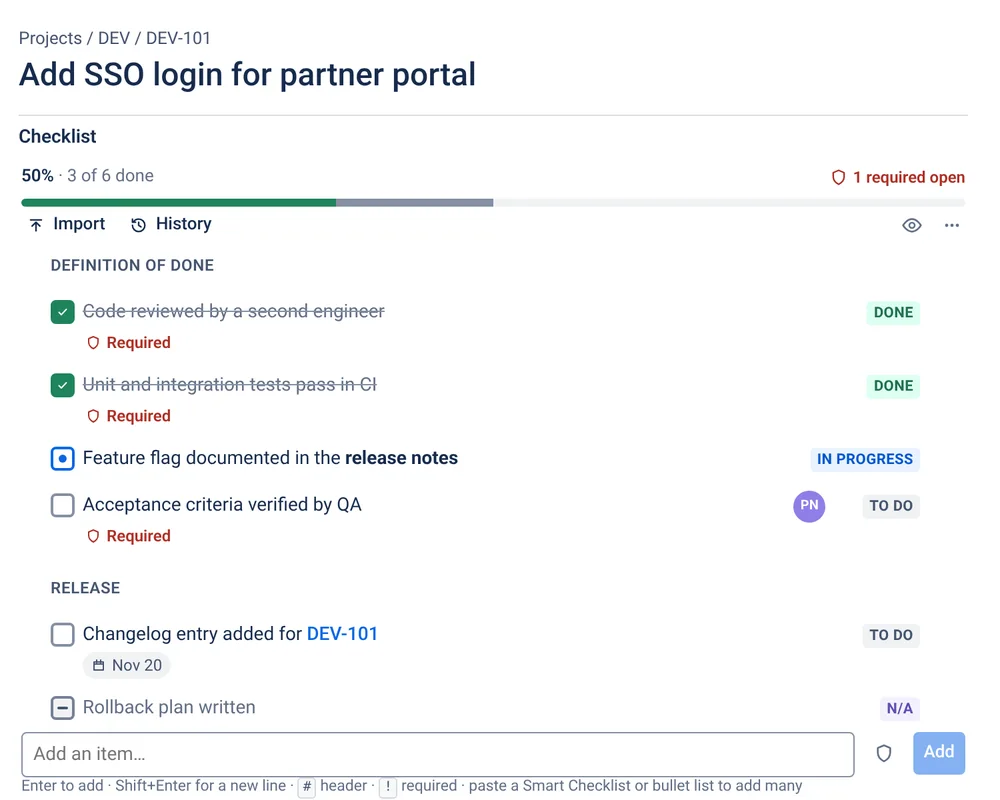
Checklists, acceptance criteria and DoD, in one panel
Built for teams that need repeatable steps to stay repeatable: code review, QA sign-off, release readiness, change control, onboarding.
Required items
Flag the steps that can’t be skipped. Progress and “required open” update live on the issue.
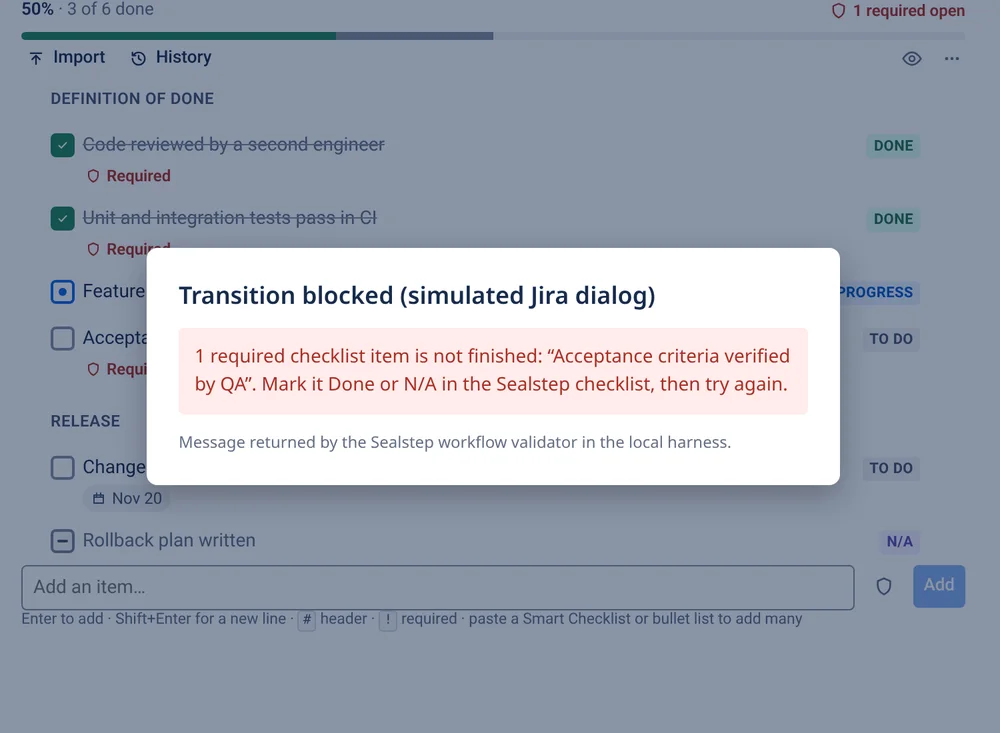
Workflow validator
Blocks a transition until required items are Done or N/A, with a message that names what’s missing.
Templates that apply themselves
Global or per-project templates, auto-applied on create by issue type or label. Locked templates can only be edited by admins.
JQL search
checklistRequiredOpen > 0, checklistProgress < 100, checklistAssignee = currentUser().
Sealed history
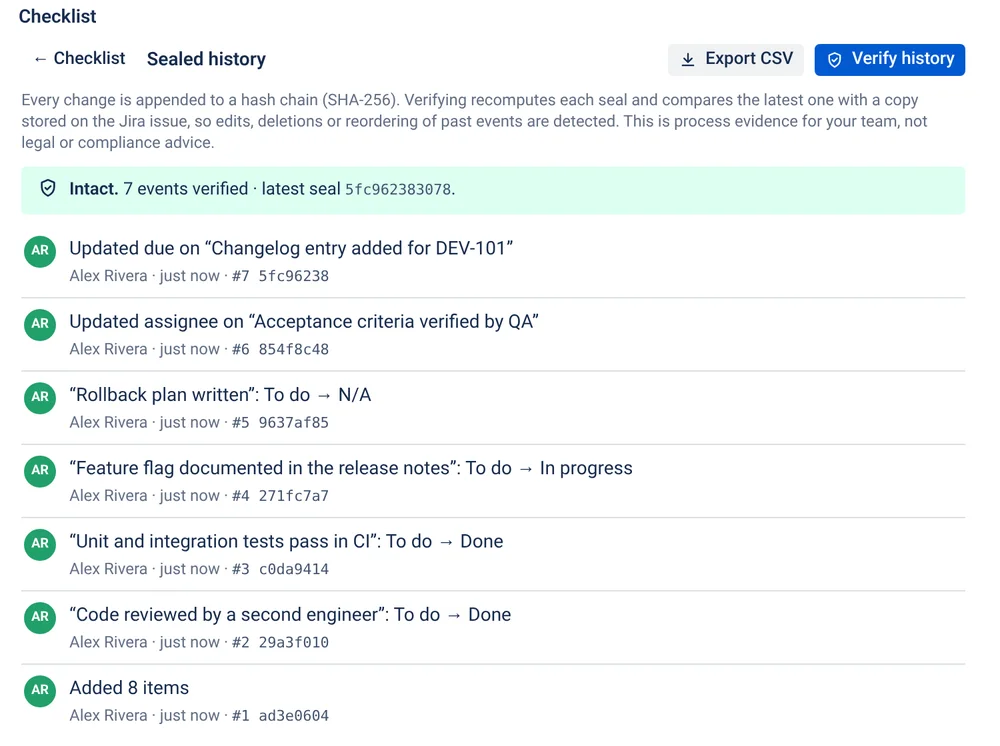
Append-only, SHA-256 hash-chained log with a Verify button and CSV export: process evidence your auditors can read.
Migration importers
Smart Checklist markdown (issue property or field), CSV and plain lists, with a bulk dry run and a report.
Stop “Done” from meaning “mostly done”
- Five statuses: To do, In progress, Done, Skipped, N/A
- Assignee and due date on any item
- Headers, details and markdown-lite (bold, code, links, issue keys)
- Drag to reorder, or do everything from the keyboard: j/k, Space, 1–5, ?
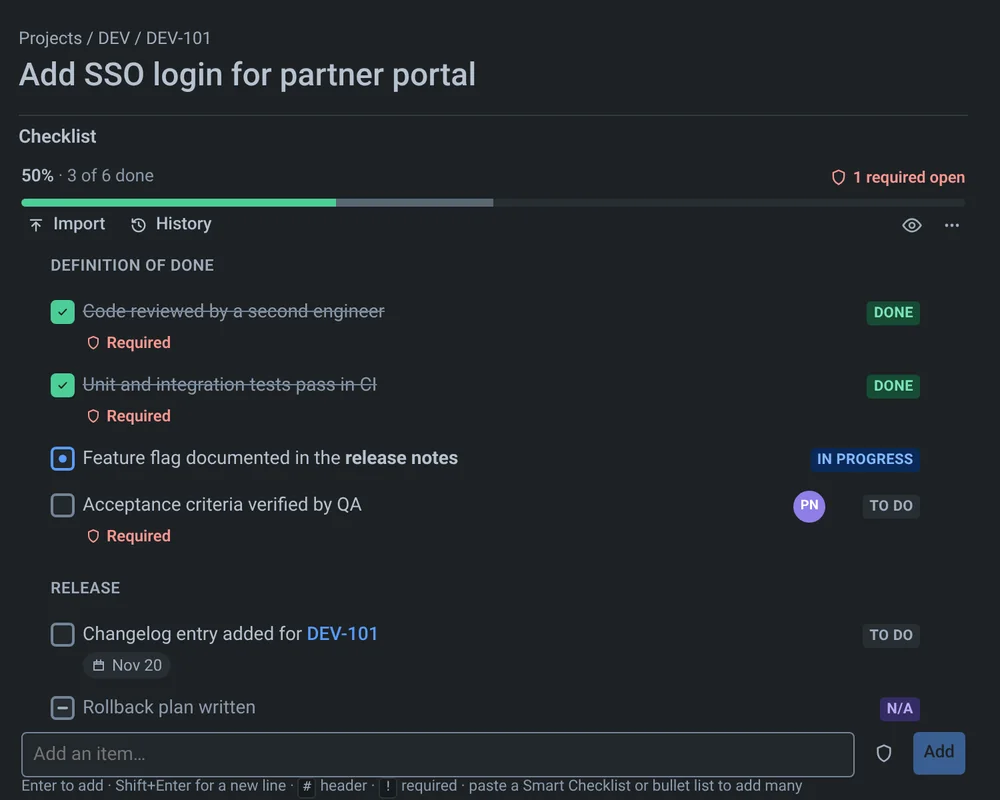
- Follows Jira’s light and dark themes
History you can verify, not just read
Each change is sealed with a hash of the one before it, and the latest seal is mirrored onto the Jira issue. Press Verify history to recompute the chain. Edited, deleted or reordered entries are flagged. Export it as CSV for your change-control file.
Process evidence for your team. Not legal or compliance advice.
Your data never leaves Atlassian
Sealstep is Forge-native from day one. It declares no external hosts, sends no analytics and loads no third-party scripts or images. That is what security reviews want to see during a Data Center → Cloud migration.
A careful way off Smart Checklist Free
Sealstep reads Smart Checklist’s markdown, including headers, required (-!), statuses and details. Run a dry run on any JQL first and import in batches. Your Smart Checklist data is never changed.
Free template packs
Ready-to-paste Definition of Done, QA sign-off, release readiness and onboarding checklists. Use them in Sealstep or anywhere else.
Simple pricing, billed by Atlassian
Planned annual list prices for Jira Cloud user tiers. Final prices are set on the Atlassian Marketplace when the listing goes live, and Atlassian handles billing, tax and invoices. Monthly billing follows Atlassian’s standard per-user model.
Every tier has every feature. Larger tiers will be listed on the Marketplace. If a subscription lapses, checklists stay readable and nothing is deleted.
Questions
Is Sealstep available on the Atlassian Marketplace yet?
Not yet. The app is built and tested locally, and we are preparing the Marketplace listing. This page will link to the listing once Atlassian has approved it. We will not show install counts, ratings or reviews until real ones exist.
Where is my checklist data stored?
Inside Atlassian. Sealstep is a Forge app: checklists, templates and history live in Forge storage on Atlassian’s cloud, and a small summary (progress, required-open count, assignees, next due date) is saved as a Jira issue property so you can search it with JQL. The app declares no outside network access, so it is designed to qualify for Atlassian’s “Runs on Atlassian” program. Eligibility is confirmed by Atlassian’s own check when the app is deployed.
How does the Definition of Done gate work?
Mark items as required. Add the Sealstep validator to a workflow transition (for example “Done”). Jira refuses the transition while any required item is still To do, In progress or Skipped, and the message names the items. N/A counts as finished. Admins can choose whether Skipped counts too, and whether the validator blocks or lets the transition through if it can’t read a checklist.
Can I search checklists with JQL?
Yes. For example: checklistRequiredOpen > 0, checklistProgress < 100, checklistAssignee = currentUser(), or checklistNextDue < now(). Jira indexes these fields from the summary property Sealstep keeps on each issue.
What does “sealed history” mean?
Every change is written to an append-only log, and each entry carries a SHA-256 hash of the one before it. “Verify history” recomputes the chain and compares the latest seal with a copy kept on the Jira issue, so edits, deletions or reordering of past entries show up. It is useful process evidence for your team. It is not legal or compliance advice, and it doesn’t make tampering impossible. It makes tampering visible.
I use Smart Checklist Free. What happens on December 15, 2026?
Its vendor says the free edition reaches end of support that day. It will get no more updates, fixes or support. You can move to the vendor’s paid edition, stay on the unsupported free edition, or switch apps. Our migration guide covers all three honestly, including how Sealstep’s dry-run importer works.
Do you have a free plan?
Planned: free for sites with up to 10 users, with every feature. Larger sites pay through the Atlassian Marketplace on Atlassian’s standard per-user tiers. If a subscription lapses, checklists stay visible but become read-only, and the workflow gate stops blocking. Nothing is deleted.
Can I get my data out?
Yes. Admins can export every checklist as CSV and every template as JSON. Each issue can export its checklist (CSV or markdown) and its history (CSV, with hashes).